 WhoSaid
Its own microphone
The watch records with its own mic. Nothing to set down on the table, nothing to hold.
Start recording on your watch and leave your iPhone in your pocket. When you stop, the recording moves to your phone and is transcribed and analysed automatically, with a follow-up message ready to send.
Needs an iPhone with WhoSaid and an Apple Watch · English, Turkish, Spanish
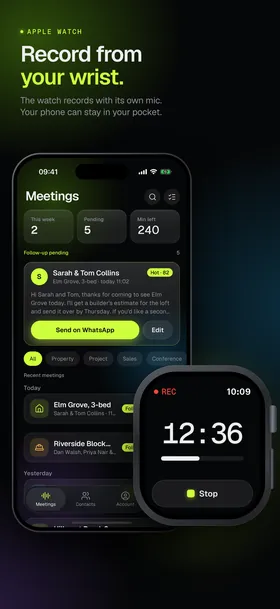
WhoSaid is an Apple Watch recording app built for meetings, not voice memos. It works best in one-to-one conversations, where taking your phone out changes the mood of the room.
The watch records with its own mic. Nothing to set down on the table, nothing to hold.
Your hands stay free and your attention stays on the person in front of you, not on a screen.
Tap Stop and the watch shows Saved. The recording moves to your phone on its own; there is nothing to export or transfer.
Recordings you start on the watch are analysed for the profession you chose in Account, just like the ones you start on your phone.
If your iPhone is already recording, the watch shows the running time, and you can end the recording from your wrist.
The result comes with a follow-up message in a friendly or formal tone, ready for WhatsApp or email. You tap send yourself.
Three steps. The first one you only do once, on your iPhone.
Pick Property, Projects & site, Sales or Other in Account. This decides how your recordings are analysed.
Open WhoSaid on your Apple Watch and tap Record. A timer runs while the watch mic records.
The watch shows Saved and the analysis starts on your iPhone. The result and the follow-up are waiting in Meetings.
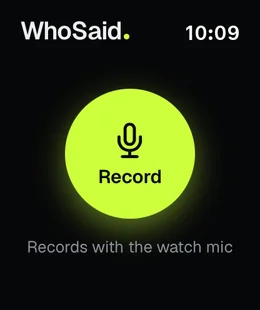
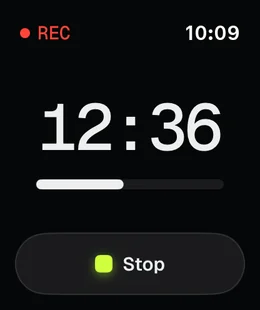
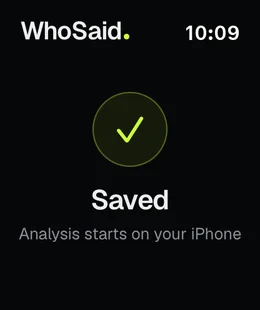
The watch app keeps out of the way. You will only ever see three screens while you record on your wrist.
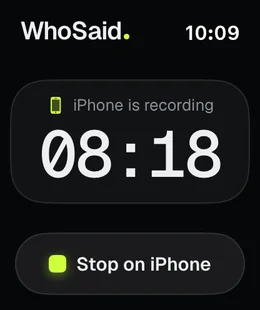
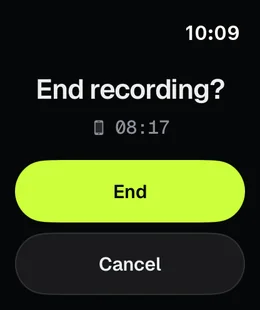
If you started the recording on your phone, the watch shows iPhone is recording with the elapsed time. Tap Stop on iPhone, confirm End, and the recording stops without you taking the phone out of your pocket.
A plain Apple Watch transcription app gives you a wall of text. WhoSaid turns the recording into the next step, based on the profession you chose.
Recording and privacy: Tell the other person before you start recording and get their consent where needed; that is your responsibility. Audio is sent to secure servers only to transcribe and analyse it, is deleted shortly after processing and is never used to train models. You can delete your data from the app at any time.
Yes. A recording you start on the watch uses the watch's own mic, so your iPhone can stay in your pocket or bag.
The watch shows Saved and the recording moves to your iPhone. It is then transcribed and analysed automatically for the profession you chose in Account: Property, Projects & site, Sales or Other. The result and the follow-up message appear in the app.
Yes. If your iPhone is already recording, the watch shows the elapsed time and a Stop on iPhone button. Tap it and confirm End to stop the recording.
An iPhone with WhoSaid installed and an Apple Watch paired with it, with the WhoSaid app on the watch. The app and its analyses work in English, Turkish and Spanish.
WhoSaid is free to download from the App Store. Transcription and analysis are billed by the minute: buy a minute pack or subscribe to Pro or Business. Current prices are shown in the app. Speaker separation is only available on the Business plan.
Record on Apple Watch, then find the result and the follow-up on your iPhone.
Download on theApp Store